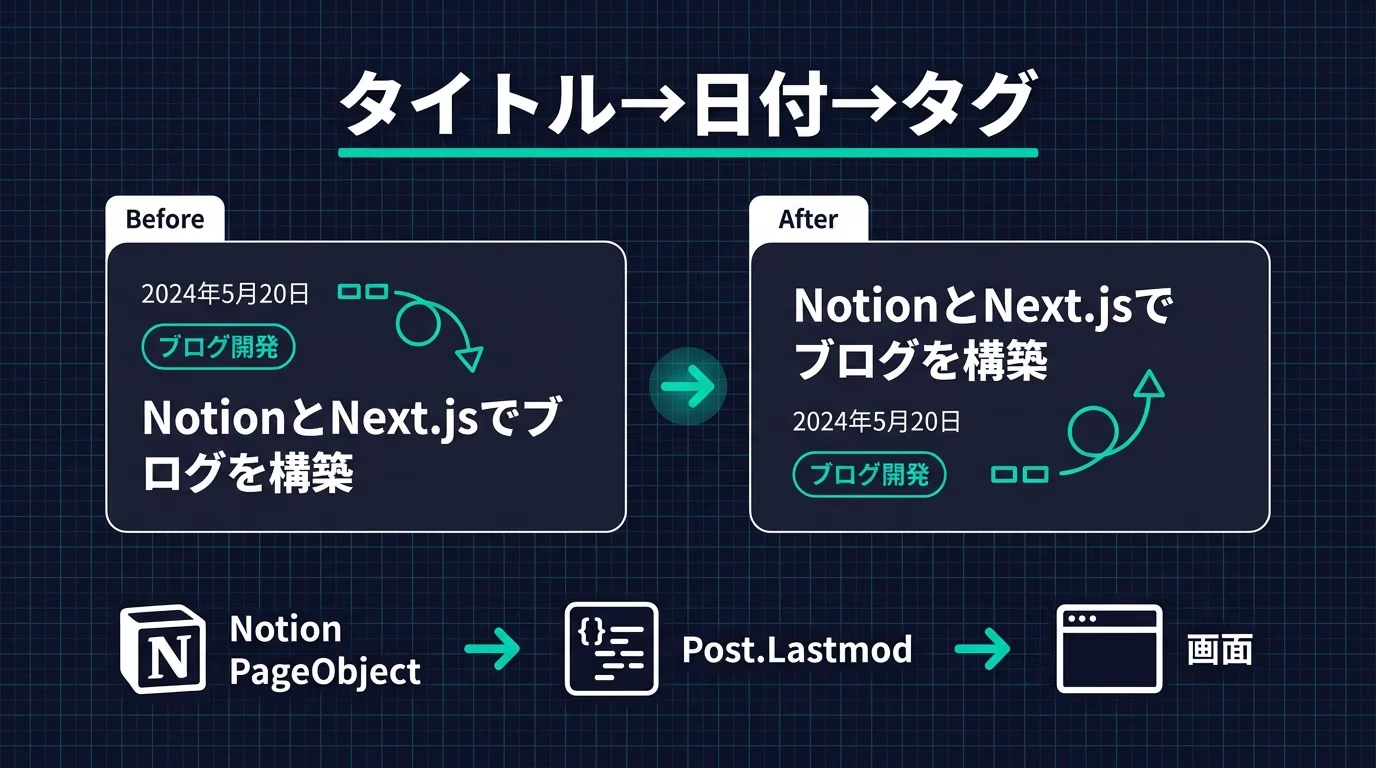
astro-notion-blog の投稿一覧と個別記事で、要素の並びをタイトル→日付→タグに変えました。あわせて、Notion ページの last_edited_time を使って、公開日とカレンダー日が違うときだけ最終更新日も出すようにしています。
はじめに
これまでの並びは日付→タグ→タイトルでした。
一覧でも個別記事でも、まずタイトルを見せたかったので順番を変えることにしました。
ついでに、編集し直した記事がいつ直されたのか分かるようにしたいと思っていました。
Notion 側に専用の日付プロパティを増やすのは面倒だったので、API が自動で持っているメタデータを使っています。
症状 / 現象
- 一覧・個別記事とも、タイトルより先に日付とタグが目に入る並びだった
- 公開日(Date プロパティ)はあるが、後から直した日は画面のどこにも出ていなかった
- 記事を書いた本人としても、いつ最後に直したか忘れることがあった
原因
Astro 側のテンプレートで PostDate と PostTags を PostTitle より前に並べていたのが単純な原因です。
最終更新日が出せなかったのは、Notion の DB スキーマに Lastmod 用の列がなく、_buildPost() が公開日しか見ていなかったからでした。
実は Notion の Page オブジェクトには last_edited_time がトップレベルのメタデータとしてもとから入っています。
プロパティではなくページ本体の情報なので、これまで拾っていなかっただけでした。
修正内容 / 手順
1. Post 型に Lastmod を追加
src/lib/interfaces.ts の Post に、ISO 8601 文字列を保持するフィールドを足しました。
export interface Post {
  PageId: string
  Title: string
  Icon: FileObject | Emoji | null
  Cover: FileObject | null
  Slug: string
  /** 公開日(Notion の Date プロパティ)。形式は ISO 8601 文字列。 */
  Date: string
  /**
   * 最終更新日(Lastmod)。
   * Notion ページの last_edited_time を格納する。形式は ISO 8601 文字列。
   */
  Lastmod: string
  Tags: SelectProperty[]
  Excerpt: string
  FeaturedImage: FileObject | null
  Rank: number
}
PageObject 側にはもともと last_edited_time が定義されています。
export interface PageObject {
  object: string
  id: string
  created_time: string
  created_by: UserObject
  last_edited_time: string
  last_edited_by: UserObject
  // ...
}
2. Notion レスポンスからマッピングする
src/lib/notion/client.ts の _buildPost() で、公開日はプロパティから、最終更新はページ本体から取ります。
const post: Post = {
  PageId: pageObject.id,
  Title: prop.Page.title
    ? prop.Page.title.map((richText) => richText.plain_text).join('')
    : '',
  Icon: icon,
  Cover: cover,
  Slug: prop.Slug.rich_text
    ? prop.Slug.rich_text.map((richText) => richText.plain_text).join('')
    : '',
  Date: prop.Date.date ? prop.Date.date.start : '',
  Lastmod: pageObject.last_edited_time ? pageObject.last_edited_time : '',
  Tags: prop.Tags.multi_select ? prop.Tags.multi_select : [],
  Excerpt:
    prop.Excerpt.rich_text && prop.Excerpt.rich_text.length > 0
      ? prop.Excerpt.rich_text.map((richText) => richText.plain_text).join('')
      : '',
  FeaturedImage: featuredImage,
  Rank: prop.Rank.number ? prop.Rank.number : 0,
}
Date は prop.Date.date.start、Lastmod は pageObject.last_edited_time です。
どちらも無ければ空文字にしていて、表示側で空なら出さない判定にしています。
flowchart LR
  A["Notion PageObject"] --> B["_buildPost()"]
  B --> C["Post.Date / Post.Lastmod"]
  C --> D["PostDate.astro"]
  D --> E["画面の日付欄"]
3. 日付をそろえて比較する
公開日は 2026-08-26、最終更新は 2026-08-26T15:30:00.000Z のように形が違うので、getDateStr()(src/lib/blog-helpers.ts)でカレンダー日にそろえてから比較します。
export const getDateStr = (date: string) => {
  const dt = new Date(date)

  if (date.indexOf('T') !== -1) {
    // Consider timezone
    const elements = date.split('T')[1].split(/([+-])/)
    if (elements.length > 1) {
      const diff = parseInt(`${elements[1]}${elements[2]}`, 10)
      dt.setHours(dt.getHours() + diff)
    }
  }

  const y = dt.getFullYear()
  const m = ('00' + (dt.getMonth() + 1)).slice(-2)
  const d = ('00' + dt.getDate()).slice(-2)
  return y + '-' + m + '-' + d
}
4. 表示コンポーネントを直す
src/components/PostDate.astro で、整形後の文字列が公開日と違うときだけ「最終更新」を出します。
---
import type { Post } from '../lib/interfaces.ts'
import { getDateStr } from '../lib/blog-helpers.ts'

export interface Props {
  post: Post
}

const { post } = Astro.props

const publishedDateStr: string = post.Date ? getDateStr(post.Date) : ''
const lastmodDateStr: string = post.Lastmod ? getDateStr(post.Lastmod) : ''
const shouldShowLastmod: boolean =
  lastmodDateStr !== '' && lastmodDateStr !== publishedDateStr
---

<div class="post-date">
  {publishedDateStr}
  {
    shouldShowLastmod && (
      <>
        <span class="post-date-separator"> / </span>
        <span class="post-lastmod">最終更新: {lastmodDateStr}</span>
      </>
    )
  }
</div>
条件は文字列比較だけです。
同じ日の再編集なら 2026-08-26 / 最終更新: 2026-08-26 みたいに間抜けな表示にはなりません。
5. 各ページの並びを変更
タイトル→日付→タグの順に、以下のファイルで統一しました。
<div class={styles.post} key={post.Slug}>
  <PostTitle post={post} />
  <PostDate post={post} />
  <PostTags post={post} />
  <PostFeaturedImage post={post} />
  <PostExcerpt post={post} />
  <ReadMoreLink post={post} />
</div>-
src/pages/index.astro -
src/pages/posts/[slug].astro -
src/pages/posts/page/[page].astro -
src/pages/posts/tag/[tag].astro -
src/pages/posts/tag/[tag]/page/[page].astro
Hugo 由来の src/pages/archives/ は今回は触っていません。
修正後の効果
| 項目 | 変更前 | 変更後 |
|---|---|---|
| 並び順 | 日付 → タグ → タイトル | タイトル → 日付 → タグ |
| 同日編集 | (表示なし) | 2026-08-26(公開日のみ) |
| 別日編集 | (表示なし) | 2026-08-23 / 最終更新: 2026-08-24 |
DB に列を増やさずに済んだのは、地味によかった点だと思っています。
注意点
最終更新は専用プロパティではない
Lastmod は Notion の Date プロパティではなく、ページの last_edited_time です。
プロパティ変更でも本文編集でも動いてしまうので、意図しない更新扱いになることがあるかもしれません。
タイムゾーンは getDateStr 依存
Z 終わりの UTC はオフセット分岐に入らず、new Date() のローカル日付になります。
開発機が JST なので今のところ困っていませんが、もしかすると環境によっては違う挙動になる気がします。
ビルド時点の値になる
静的生成なので、表示はビルド時の last_edited_time です。
公開後に Notion だけ直しても、再ビルドするまでサイト側の表示は変わりません。
メモリキャッシュに注意
client.ts の postsCache はプロセス内キャッシュです。
開発中にマッピングを変えたときは、モジュール再読み込みか dev サーバーの再起動が必要でした。
まとめ
投稿一覧と個別記事の並びをタイトル→日付→タグに変え、Notion の last_edited_time から最終更新日を公開日と違う場合だけ併記するようにしました。
DB に専用プロパティを増やさずに実装できたのは、Notion API のページメタデータをそのまま使えたからです。
同様の並びや最終更新表示を検討している astro-notion-blog 利用者の参考になれば幸いです。